
Track staff entries and exits paper-free and error-free
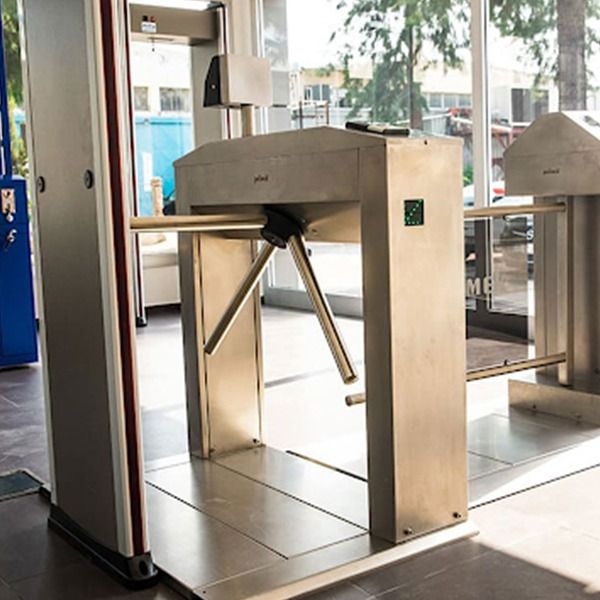
Records clock-ins and clock-outs with card, PIN or face recognition terminals and automatically calculates shifts, overtime and leave. Works with turnstiles and doors, and also tracks field staff with location and an emergency button.
From sensor to screen in one flow
A field measurement reaches you within seconds via the device and the cloud. The dots show the live journey of the data.
1 Sensors
2 Devices
DURANKA Bulut
Data collection, storage, analysis and alarm management
- Cloud or on-premise server
- Encrypted data transmission
- Unlimited history
4 Sent to you
General system features
Automatic timekeeping
Clock-in times are matched with the shift plan; lateness, early leaving and overtime are calculated automatically.
Authorised access
Define who can pass through which door at which times, with zone and time-based permissions.
Field staff
People working on construction sites and in the field check in with location from the mobile app; arrival at the job site is recorded.
Lone worker safety
Instant alarms for staff working alone with an emergency button and inactivity detection.
Payroll-ready reports
Monthly timesheet, leave and overtime reports are exported to Excel and transferred to the payroll software.
Visitor tracking
Visitor registration, temporary cards and notification to the host; see who is on site in real time.
Go live in 4 steps
Survey
Entry points, shift pattern and number of staff are defined.
Installation
Terminals, turnstiles and door control units are installed.
Setup
Staff, cards, shifts and permissions are entered into the system.
Reporting
Timesheet and payroll reports are put into use and the team is trained.
Where is it used?
Factories & Production
Entry-exit and overtime tracking in shift work.
- Shift-based timekeeping
- Turnstile integration
Offices & Business Towers
Card-based door access and visitor management.
- Floor and zone permissions
- Visitor log
Construction & Field Sites
Mobile, location-based check-in at dispersed sites.
- Location-based roll call
- Subcontractor staff tracking
Hospitals & Healthcare
24/7 shift and on-call roster tracking.
- On-call plan
- Restricted area access
Residences & Schools
Entry-exit logs for staff and service personnel.
- Attendant tracking
- Door access log
Hazardous Work
Lone worker safety in mining, energy and chemical plants.
- Emergency button
- List of staff on site
Frequently asked questions
Should I use cards or face recognition?
Cards are economical and fast; face recognition eliminates lost and shared cards. We recommend the most suitable method during the survey based on staff numbers and entry density; both can also be used together.
Can it connect to my existing turnstile or door?
It connects to most turnstiles, barriers and electric locks that work with a dry contact (relay). We check the existing equipment during the survey.
Can I export to my payroll software?
Timesheet data is exported as Excel and CSV and can be prepared in the import format of common payroll programs.
What should I do regarding personal data protection?
Face and card data are kept only on your server or in your account. You need to provide your staff with a privacy notice and, where required, a consent form; we guide you on this during installation.
Stop calculating timesheets by hand
Let’s plan a time & attendance solution that brings your entries and exits, shifts and field staff together in one system.